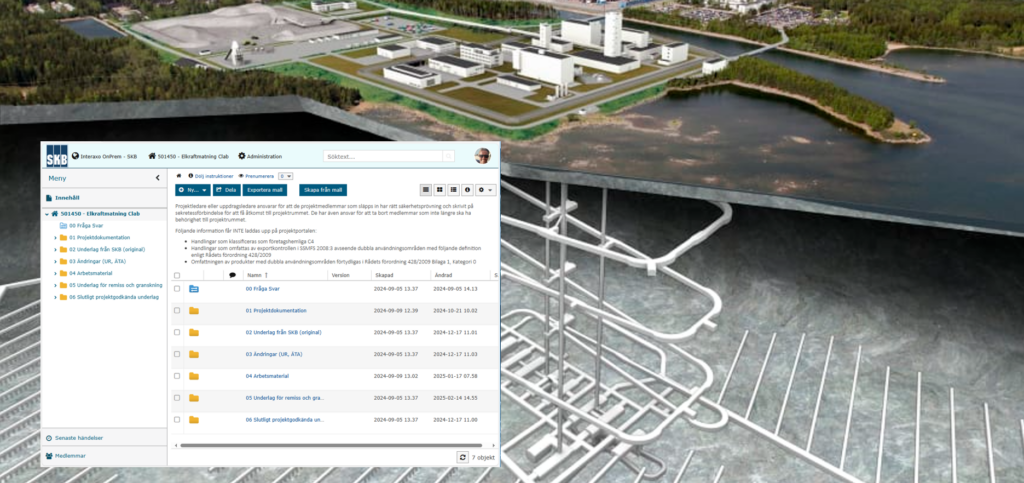
Interaxo
Note: In English below.
För SKBs kunder och intressenter, som arbetar i olika projekt och verksamheter, tillhandahåller SKB en kommunikationsplattform för utbyte av dokument mm, Interaxo (IOP).
Inloggning i Interaxo sker genom personlig inloggning.
För att påbörja process att få en inloggning skickas nedan via mail till kontaktperson på SKB:
- Namn (för och efternamn)
- Personnummer
- Företag
- Arbetsuppgifter
- Telefonnummer
- E-post-adress
(För tillträde till ”UT-Portalen” ska ovan skickas till marcus.molander@skb.se)
Anställda (ej konsulter) på Svensk Kärnbränslehantering AB, Forsmark Kraftgrupp AB och Ringhals AB behöver inte skicka in några dokument, utan kan kontakta SKB direkt för att få konto.
När process för inloggning är klar skapas ett konto i Interaxo, och du får ett välkomst-mail från systemet.
I nästa steg färdigställer du ditt konto, hur detta görs beskrivs i lathund:
Interaxo On Prem (IOP), Quickguide inloggning (2041408 2.0)
Det finns även en lathund för hur du byter ditt lösenord ifall det har glömts, samt ett grundläggande utbildningsmaterial:
Byte / återställning av lösenord i Interaxo OnPrem (2054796 1.0)
Utbildning Interaxo On Prem (2042633 3.0)
Övergripande regler för dokumentation som laddas upp på IOP:
SKB dokument som har klassificeringarna C1, C2 samt C3 får hanteras i IOP. Gäller även dokumentation med exportkontroll då erforderligt tillstånd finns.
Följande information får INTE laddas upp:
- Handlingar som klassificeras som företagshemliga C4
Vid frågor, hör av dig till iop@skb.se (IOP Support)
English
For SKB’s customers and stakeholders, who work in various projects and operations, SKB provides a communication platform for exchanging documents, etc., Interaxo (IOP).
Logging in to Interaxo is done through personal login.
To begin the process of obtaining a login, the following information must be sent via email to the contact person at SKB:
- Name (first and last name)
- Personal identity number
- Company
(For access to the ”UT-Portal”, it shall be sent to marcus.molander@skb.se.)
Once the login process is completed, an account in Interaxo will be created, and you will receive a welcome email from the system.
In the next step, you complete your account, how this is done is described in the quick guide:
Interaxo On Prem (IOP), Quickguide login (English) (2043930 2.0)
There is also a quick guide on how to change your password if you have forgotten it:
Changing / resetting password in Interaxo OnPrem (2078973, 2.0)
General rules for documentation uploaded to IOP:
Documents from SKB that have the classifications C1, C2, and C3 may be handled in the IOP. This also applies to documentation subject to export control, provided that the required permits are in place.
The following information must NOT be uploaded:
- Documents classified as company‑confidential C4
For questions, please contact iop@skb.se (IOP Support)
Senast granskad: 3 december 2024
Senast granskad: 3 december 2024